Keep your framework supported, with predictable service tiers and a clear view of operational health.
An operating partner after launch.
Keep your framework supported with monitoring of subscribed jobs, issue triage, and controlled recovery once the cause is understood. Standard future framework upgrades are included while your subscription is active.
MonitorSubscribed jobs
TriageIssues and recovery
ImproveFramework upgrades
Included with your subscription
See the health of your framework.
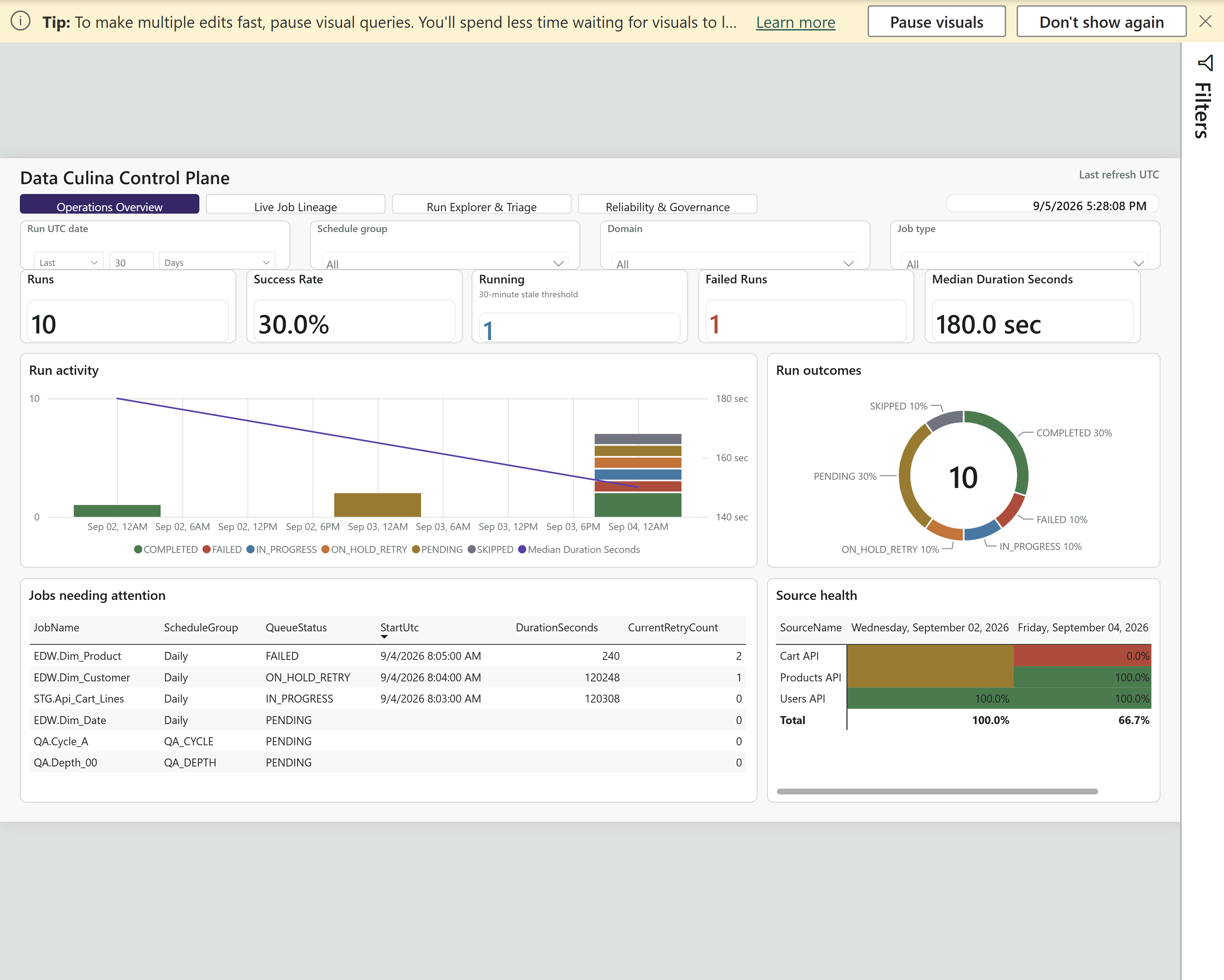
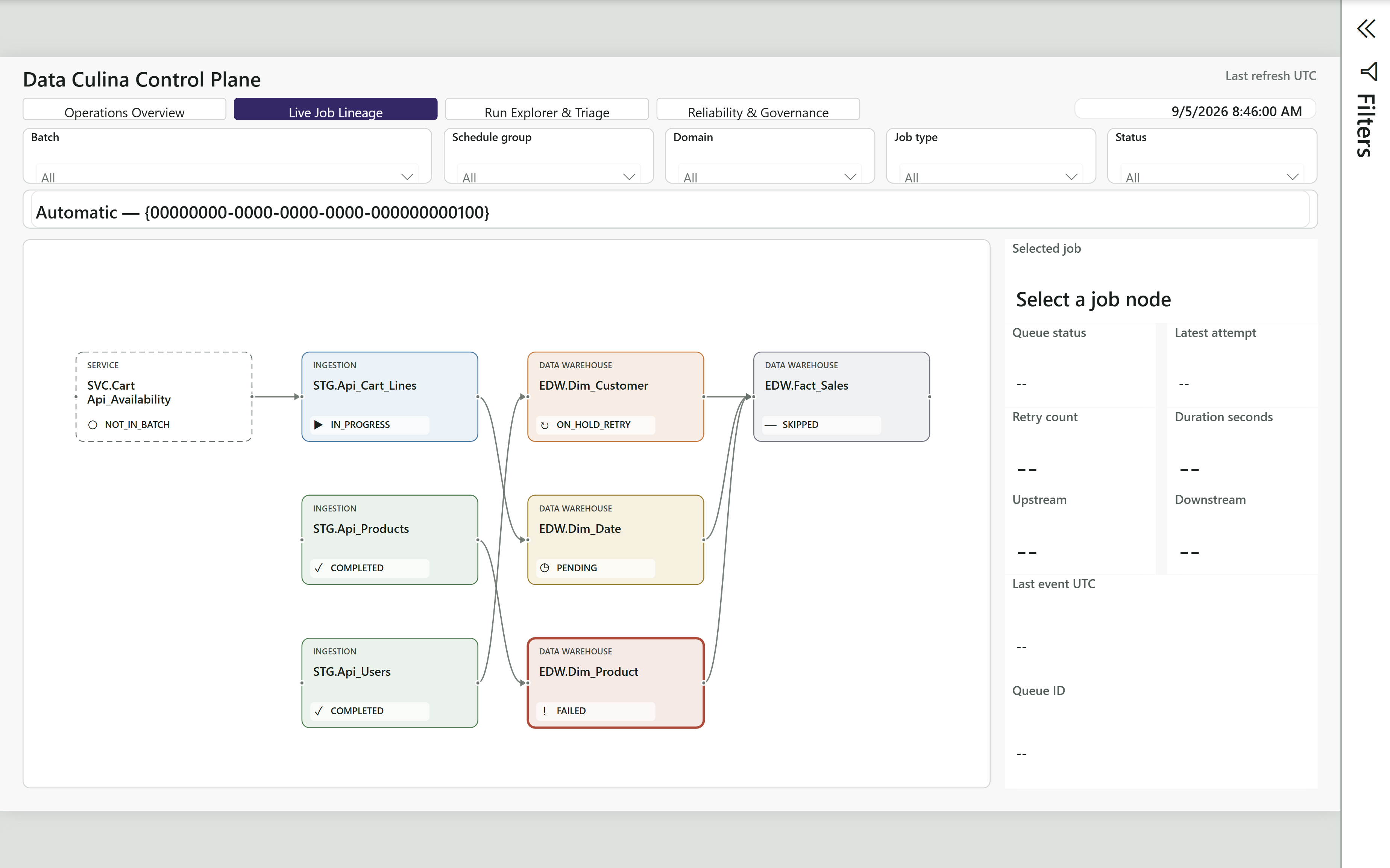
Every managed service subscription includes a complimentary Control Plane report connected to your Culina environment. See overall framework health, job activity, and issues needing attention in one place, without watching individual pipelines.
Your team keeps visibility into operations while Data Culina monitors subscribed jobs and helps investigate issues.
Tiers are based on the number of monitored jobs in your framework environment. All subscriptions include routine monitoring, framework support, standard future upgrades, and the Control Plane report.
Bronze
1-100 monitored jobs
Per month
CAD 500
RCA + support / month
20 hours
Standard triage, controlled recovery support, and long-term framework support.
Silver
101-250 monitored jobs
Per month
CAD 1,000
RCA + support / month
40 hours
Bronze coverage with broader job coverage. Recurring operational reviews.
Gold
251-500 monitored jobs
Per month
CAD 2,000
RCA + support / month
80 hours
Silver coverage with stronger support attention. Recurring issue-pattern reviews.
Platinum
501+ monitored jobs
Per month, custom pricing
CAD 3,000 minimum
RCA + support / month
By agreement
Gold coverage with a tailored escalation approach. Tailored review cadence.
Pay as you go is also available at CAD 50 per hour, with no subscription and no prepaid monthly quota.
How support hours work +
Root cause analysis (RCA) and prepaid support hours cover incident triage, operational investigation, controlled recovery support, and support coordination.
Routine monitoring and standard framework upgrades do not use your prepaid hours. Bronze, Silver and Gold support beyond the quota is billed at CAD 50 per hour unless your agreement states otherwise. Platinum terms are defined in your agreement.
Unless otherwise agreed, unused hours expire at the end of each billing month, do not roll over, and have no cash value.
A clear support boundary
Operational continuity, not a new project.
Included in managed support
Monitoring of subscribed framework jobs, issue triage, operational investigation, controlled rerun or recovery support once the cause is understood, and escalation guidance when client or engineering action is needed.
Long-term framework support and standard future framework upgrades remain included while your subscription is active.
Scoped separately
New source onboarding, new transformations, major enhancements, major redesign, and large backfills are professional services rather than subscription support.
Custom reporting and BI packs are separate from the complimentary operational Control Plane report. Client-side infrastructure, access, and source-system remediation are outside the managed service scope.
Troubleshooting starts with the execution evidence: queue state, run history, failure logs, and quality results. Read those records together to locate the earliest true upstream failure. A downstream failure or skipped job may be a symptom of an earlier problem rather than a separate defect.
Linked requirements, models, and transformation definitions add the intended behavior to that investigation. They also help the receiving team assess the effect of a proposed change before altering the approved rules.
Recover a reviewed scope
Automatic retry is bounded and assumes the configured work may succeed on another attempt. Manual rerun follows investigation and correction. Replay, backfill, and rebuild address different situations; the choice depends on the failed work, trustworthy upstream data, and the state that needs to be recreated.
Operators choose the recovery scope rather than relying on an automatic minimum-scope calculation. Afterward, they verify the original defect, check downstream outputs, and record the failure, method, scope, and follow-up. Completed work is not a normal rerun target.